Optimizing Your iPhone Pro Max for Tailored Workflows: Leveraging the Large Screen
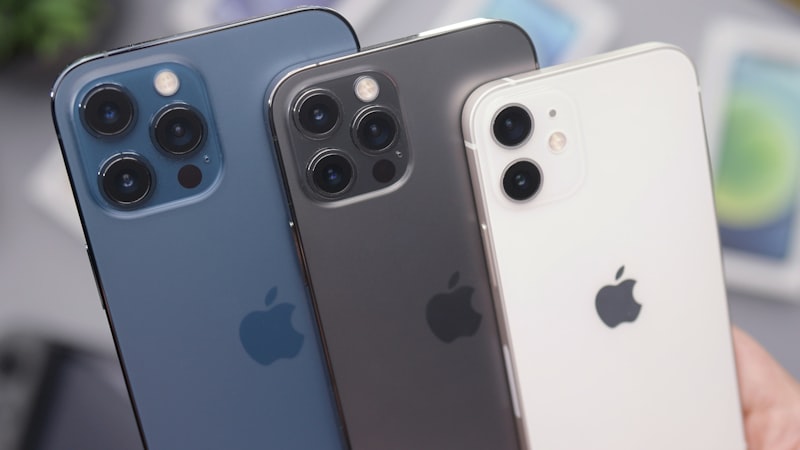
The iPhone Pro Max models offer an expansive canvas, a deliberate design choice that goes beyond mere aesthetics. For many users, this larger display is a primary driver for choosing the Pro Max, promising enhanced productivity and a more immersive content experience. However, simply owning a Pro Max does not automatically unlock its full potential. The true power lies in tailoring its generous screen real estate to fit your specific workflows, whether you're a professional managing complex projects, a student juggling research, or an enthusiast seeking an optimized media consumption device. This article explores practical strategies and system settings to transform your iPhone Pro Max into a highly personalized and efficient tool.
Editor's pick: iPhone Pro Max cases & grips on Amazon → As an Amazon Associate, this site earns from qualifying purchases.
Maximizing Screen Real Estate with Display Zoom and Text Adjustments
The first step in leveraging the Pro Max's display is understanding its core scaling options. iOS offers "Display Zoom" settings, typically found under Display & Brightness. Users can choose between "Standard" and "Zoomed" views. While "Zoomed" mode magnifies the interface, making elements larger and easier to tap, it sacrifices information density. For those aiming to maximize productivity and view more content at once, the "Standard" display zoom is often the superior choice on the Pro Max, allowing apps to show more text, more rows, and more columns.
Beyond Display Zoom, granular control over text size is crucial. Via Accessibility settings, Dynamic Type allows for independent adjustment of font sizes across compatible applications. This means you can keep your display in "Standard" zoom for maximum content density, yet increase text size for improved readability in apps where it matters most, creating a balanced and comfortable viewing experience without sacrificing overall screen utility.
Crafting Custom Layouts with Home Screen and Focus Modes
The larger Home Screen canvas on the Pro Max is ideal for more sophisticated widget arrangements. Instead of just a single row of widgets, users can create dedicated Home Screen pages filled with Smart Stacks, individual widgets, and app folders tailored to specific tasks or times of day. A work-focused page might feature calendar, mail, and project management widgets, while a personal page could prioritize weather, photos, and music.
Furthermore, Focus Modes, introduced in iOS, become even more powerful on the Pro Max. By configuring different Focus Modes (e.g., "Work," "Reading," "Personal"), users can automatically switch between custom Home Screen layouts, filter notifications, and even define which apps are visible. This allows the Pro Max to adapt its interface dynamically, presenting only the relevant information and tools for the current task, thereby reducing distraction and enhancing efficiency on the large display.
Enhancing Readability and Focused Content Consumption
The Pro Max's large, high-resolution display inherently offers a superior reading experience. To further refine this, Safari's Reader View is an indispensable tool, stripping away advertisements and navigation elements to present articles in a clean, customizable format. On the larger screen, this translates to more text visible at once, reducing the need for constant scrolling and enhancing focus.
For users with specific visual preferences or needs, accessibility features can further optimize the reading experience. As we explored in our analysis of display technology at iPhone View, optimizing your iPhone's screen goes beyond mere brightness. Users can leverage iOS features like "Reduce White Point" or "Smart Invert" (which intelligently inverts colors without affecting images and media) to create a more comfortable reading environment, especially in low-light conditions. The expansive display makes these subtle visual adjustments more impactful, reducing eye strain during extended reading sessions.
Streamlining Multitasking and App Interaction
While iOS on iPhone doesn't offer the full split-screen multitasking found on iPad, the Pro Max's larger screen significantly improves app switching and interaction. The App Switcher, for instance, displays larger, clearer app previews, making it easier to identify and jump between active applications. Picture-in-Picture (PiP) for video content also benefits immensely, allowing a video window to float over other apps without obscuring too much vital information on the expansive display.
Certain native applications, like Mail or Files, subtly adapt their layouts on the Pro Max, sometimes offering two-pane views or more information visible in lists, approaching a tablet-like experience. For power users, mastering quick gestures like swiping across the bottom of the screen to switch between recently used apps feels more fluid and less cramped on the larger display, contributing to a seamless workflow.
Leveraging Accessibility Features for Productivity
Beyond general display adjustments, specific accessibility features can be repurposed for unique productivity workflows on the Pro Max. "Guided Access," for example, locks the iPhone into a single app and can disable specific screen areas or hardware buttons. This is invaluable for focused work, preventing accidental exits from an important document or presentation.
The standard "Zoom" magnification feature, often overlooked, becomes genuinely useful on the Pro Max for detailed tasks. Whether reviewing intricate diagrams, editing specific elements in an image, or proofreading fine print, the ability to magnify a portion of the screen while still having a broad overview can be a significant advantage. Furthermore, "AssistiveTouch" allows for the creation of custom gestures and shortcuts, which, when combined with the larger display, can streamline complex interactions or provide quick access to frequently used functions without awkward finger stretches.
Conclusion
The iPhone Pro Max is more than just a bigger iPhone; it's a powerful platform for tailored productivity and an enhanced user experience, provided you take the time to configure it. By thoughtfully adjusting display settings, organizing your Home Screen with widgets and Focus Modes, optimizing for content consumption, and harnessing specific accessibility features, you can transform the expansive screen into an intuitive command center perfectly aligned with your unique daily demands. Embracing these customization options unlocks the true potential of the Pro Max, making it an indispensable tool for both work and leisure.