Sideloading on iPhone: A Practical Guide for EU Users Beyond App Stores
The Shifting Sands of iPhone App Distribution in the EU
The digital landscape for iPhone users in the European Union has undergone a significant transformation, largely driven by the Digital Markets Act (DMA). This legislation aims to foster greater competition and user choice, directly impacting how applications can be distributed and installed on Apple's devices. While much attention has been given to the emergence of alternative app stores, there's another crucial facet of this evolving ecosystem: sideloading. For EU iPhone users, understanding sideloading is key to unlocking new levels of app freedom and customisation.
Editor's pick: iPhone Pro Max cases & grips on Amazon → As an Amazon Associate, this site earns from qualifying purchases.
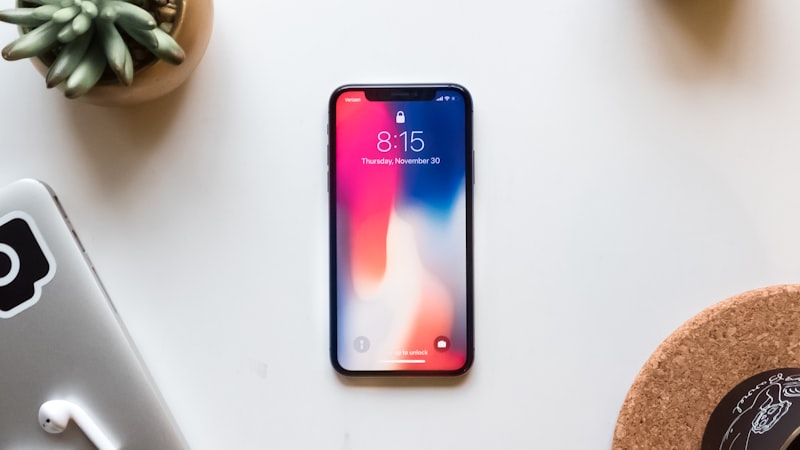
Sideloading, in its broadest sense, refers to the process of installing applications onto a device from sources other than its official app store. On iPhone, this has historically been a niche activity, often requiring developer accounts or specific utilities. However, with the DMA's provisions, the pathways for non-App Store installations are becoming more defined, presenting both opportunities and considerations for everyday users.
Sideloading vs. Alternative App Stores: Understanding the Nuance
It's important to distinguish between sideloading and simply using an alternative app store. The DMA has mandated that Apple allow third-party app marketplaces to operate within the EU. These are curated platforms, much like Apple's own App Store, offering a catalog of applications that have undergone some form of review process by the store operator. Users navigate these stores, download apps, and receive updates in a familiar fashion.
Sideloading, on the other hand, often implies a more direct, granular installation process. This might involve obtaining an application's `.ipa` file (the iPhone application archive) and installing it directly onto your device using specific tools or developer-centric methods. While alternative app stores facilitate a new channel for app distribution, sideloading opens up possibilities beyond even these new marketplaces, allowing for direct installation of apps that may not be listed anywhere.
Methods for Sideloading on iPhone in the EU
For EU users looking to explore sideloading, several legitimate (non-jailbreak) methods are currently available:
- Developer Mode: iOS now includes a 'Developer Mode' setting, primarily intended for app developers. Enabling this mode on your iPhone allows for certain types of direct app installations and debugging activities, making it a foundational step for many sideloading utilities.
- Third-Party Sideloading Tools: Utilities like AltStore or Sideloadly have become popular. These tools typically leverage Apple's free developer provisioning profiles, allowing users to sign and install `.ipa` files onto their devices. This often requires connecting your iPhone to a computer and periodically refreshing the app's 'signature' to keep it active, usually every seven days for free developer accounts.
- Enterprise Distribution: While less relevant for individual users, large organisations can use Apple's Enterprise Program to distribute proprietary apps directly to their employees' iPhones without going through the App Store. This is a sanctioned form of sideloading for specific business needs.
It is crucial to understand that these methods operate within Apple's security framework and are distinct from jailbreaking, which involves modifying the operating system itself to remove software restrictions.
Navigating Security and Trust
With greater freedom comes greater responsibility, particularly concerning security. When sideloading, you are bypassing Apple's rigorous App Store review process, which screens for malware, privacy violations, and performance issues. This means you must exercise heightened caution:
- Source Verification: Only download `.ipa` files from highly reputable and trusted sources. Be extremely wary of unknown websites or unsolicited links.
- App Integrity: If possible, verify the integrity of the app package to ensure it hasn't been tampered with. While difficult for the average user, some communities provide checksums or other verification methods.
- iOS Sandboxing: Fortunately, iOS's robust sandboxing architecture still provides a significant layer of protection. Sideloaded apps, like App Store apps, are generally confined to their own isolated environments, limiting their ability to access other apps' data or critical system files without explicit user permission.
As we discussed in 'Empowering iPhone Users: DMA, Customisation, and Control' at iphoneopen.com, the DMA fundamentally shifts power dynamics, but users remain the primary guardians of their own device security when venturing beyond official channels.
Benefits and Practical Considerations for EU Users
The primary benefit of sideloading is access to a wider array of applications. This can include:
- Niche Utilities: Apps that might not meet App Store guidelines or have a too-small audience for traditional distribution.
- Open-Source Projects: Early builds or specific versions of open-source software.
- Beta Testing: Direct access to beta versions of apps before wider release.
- Enhanced Customisation: Utilities that offer deeper system customisation beyond what's typically allowed in the App Store.
However, practical challenges remain. Installation can be more complex than a simple App Store tap. Updates often require manual intervention or the use of the same sideloading tools, rather than automatic background updates. Furthermore, apps obtained this way may not always be as stable or fully optimised as those from official stores.
The Evolving Landscape
The landscape of app distribution on iPhone in the EU is still in its early stages of evolution. While the DMA has opened doors, Apple's implementation continues to evolve, and the various methods for sideloading may be refined or subject to new guidelines. For EU iPhone users, staying informed about these changes is crucial for safely and effectively leveraging the new freedoms offered by direct app installation.
Sideloading provides a powerful avenue for those seeking maximum control and choice over their iPhone experience. By understanding the methods, mitigating the risks, and appreciating the benefits, EU users can confidently explore this expanded frontier of app customisation.