Transforming Your iPhone Pro Max into a Portable Remote Desktop Workstation
For many professionals, the iPhone Pro Max is more than just a smartphone; it's a powerful pocket computer. Its expansive display, robust processing power, and advanced connectivity make it an ideal candidate for tasks typically reserved for laptops or desktops. One increasingly viable workflow is leveraging the iPhone Pro Max for remote desktop and virtual machine (VM) access, effectively turning it into a truly portable workstation.
Editor's pick: iPhone Pro Max cases & grips on Amazon → As an Amazon Associate, this site earns from qualifying purchases.
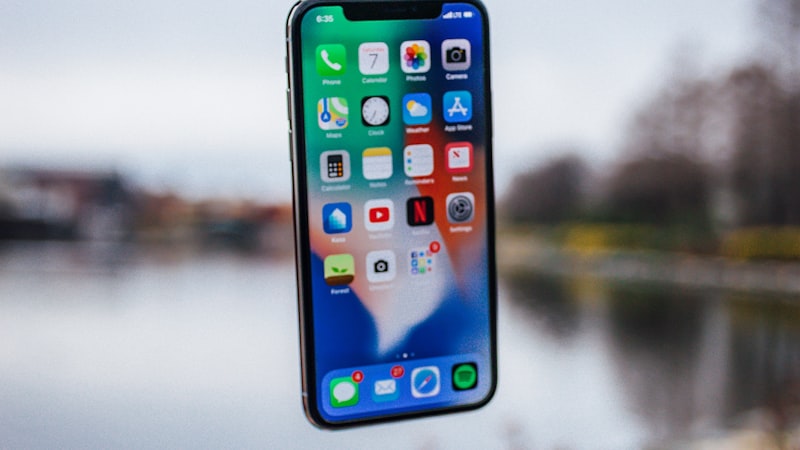
This capability is particularly transformative for IT administrators, developers, and mobile professionals who need to access specific applications, files, or entire operating systems housed on a remote server or a local desktop. With the right setup, your Pro Max can provide critical access to Windows, macOS, or Linux environments, enabling on-the-go productivity that was once unimaginable.
Choosing the Right Remote Desktop Client
The foundation of this workflow is selecting an appropriate remote desktop client. Several robust options are available on the App Store, each with its strengths:
- Microsoft Remote Desktop: For Windows environments, Microsoft's official client offers seamless integration, supporting NLA (Network Level Authentication) and multiple connections. It's generally stable and feature-rich for RDP connections.
- Jump Desktop: A highly regarded third-party solution, Jump Desktop supports RDP, VNC, and Fluid (its own high-performance protocol). It's known for its excellent performance, gesture controls, and support for external keyboards and mice.
- VNC Viewer: For VNC (Virtual Network Computing) connections, typically to Linux or older macOS systems, RealVNC's Viewer is a solid choice, offering reliable and secure access.
- Enterprise Solutions: Many organizations deploy their own proprietary or licensed solutions like VMware Horizon Client, Citrix Workspace, or TeamViewer, which are often optimized for specific corporate infrastructures and security protocols.
The emergence of alternative app stores in the EU, as a result of the Digital Markets Act (DMA), may introduce even more specialized or open-source clients, potentially offering new features or different pricing models for users in those regions.
Optimizing the Pro Max Display for Remote Work
The Pro Max's large Super Retina XDR display is crucial for remote desktop use. To maximize clarity and usability:
- Resolution and Scaling: Most clients allow you to adjust the remote resolution. Experiment to find a balance between screen real estate and legibility. While you might be tempted to run at the highest possible resolution, scaling UI elements on the remote system to a comfortable size is often more practical for touch input.
- Text Size and Zoom: Utilize the iPhone's built-in text size accessibility features or the client's zoom functions to make remote text readable without constant pinching.
- ProMotion Technology: The adaptive refresh rate of ProMotion (up to 120Hz) significantly enhances the remote experience, making scrolling smoother and cursor movements more fluid and responsive, akin to a traditional desktop experience. As we explored in our analysis of display technology at
Questions readers ask
What's the biggest tradeoff Apple has to swallow for max remote desktop workstation?
Every Apple decision is a tradeoff, and the obvious one here is internal volume. Adding max remote desktop workstation costs millimetres somewhere — usually battery capacity or camera module depth — and Apple has to decide which line item to trim.
What does max remote desktop workstation actually cost — in price, weight, or battery?
Expect a premium of roughly $200–300 over the standard model, plus a small weight penalty. Battery life is the bigger variable — early prototypes typically trade an hour or two of screen-on time for the new capability, then claw it back over a generation.
How does max remote desktop workstation change the upgrade calculus for existing owners?
Existing owners weigh max remote desktop workstation against the upgrade they were already planning. If the feature is meaningful for daily use, it pulls forward upgrades by about a year; if it is novelty, it shifts nothing.
Does max remote desktop workstation require new developer APIs, or can existing apps adapt?
Apple historically ships a quiet developer API the year before the hardware lands, so existing apps that follow human-interface guidelines should adapt with modest work. Apps that hard-code layouts will need updates.
In short — what's the takeaway on more from iphone open?
It comes back to whether Apple can ship max remote desktop workstation without compromising the parts of the iPhone people already pay for. The detail in this section is where that case is made or broken.