Mastering iPhone Automation: Practical Shortcuts for Daily Efficiency
Unlocking Your iPhone's Full Potential Through Automation
The iPhone, at its core, is a highly capable device, but its true power often lies hidden beneath layers of default settings and manual interactions. For many users, the Shortcuts app remains an untapped resource, perceived as an exclusive tool for 'power users'. In reality, iPhone Shortcuts offer an accessible and robust platform for automating routine tasks, streamlining workflows, and significantly enhancing daily efficiency for anyone willing to explore its capabilities.
Editor's pick: iPhone Pro Max cases & grips on Amazon → As an Amazon Associate, this site earns from qualifying purchases.
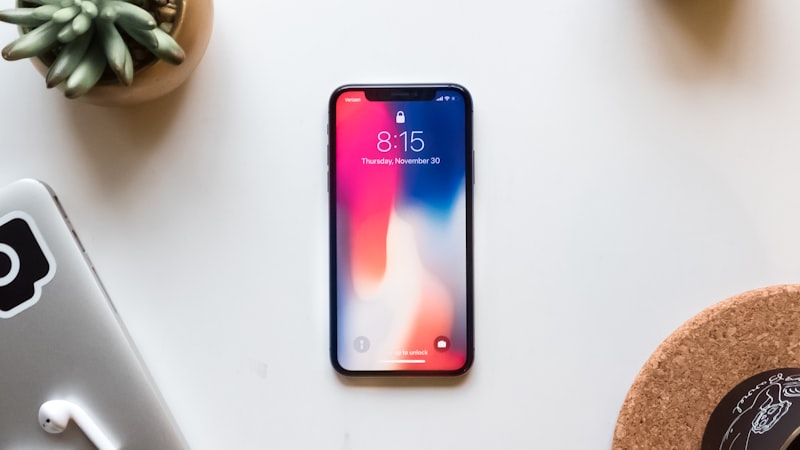
Far from being mere app launchers, Shortcuts can combine multiple actions from various apps and system functions into a single tap or voice command. This level of customisation moves beyond basic personal preferences, allowing users to craft highly personalised experiences that respond to their specific needs and contexts.
The Power of Personal Automations
While traditional shortcuts are initiated manually, Personal Automations elevate the experience by allowing your iPhone to trigger actions based on specific conditions. This context-aware automation transforms your device into a proactive assistant. Imagine your iPhone automatically setting a 'Work' Focus Mode when you arrive at your office, or starting a specific playlist when you connect to your car's Bluetooth. These automations can be triggered by:
- Time of day or sunrise/sunset
- Arrival or departure from a specific location
- Connecting to a particular Wi-Fi network or Bluetooth device
- Opening a specific app
- Low battery level
Setting up a Personal Automation involves navigating to the 'Automation' tab within the Shortcuts app, tapping the '+' icon, and selecting 'Create Personal Automation'. From there, you define your trigger and then add the sequence of actions you want your iPhone to perform.
Streamlining Daily Routines with Practical Shortcuts
Let's consider some practical applications that can immediately impact your daily efficiency:
Morning Briefing
Instead of opening several apps each morning, create a 'Morning Briefing' shortcut. This can:
- Fetch today's weather forecast.
- Read out your upcoming calendar events.
- Provide a summary of top news headlines from your preferred sources.
- Adjust smart home devices, like turning on lights or brewing coffee.
This single shortcut, activated with a tap or a Siri command, consolidates critical information, saving precious minutes.
Quick Communication
For frequently sent messages, a shortcut can be invaluable. Consider a 'Share ETA' shortcut that automatically composes a message with your current location and estimated arrival time to a pre-selected contact. Similarly, 'Quick Reply' shortcuts can be set up to send common responses without typing.
Media and Focus Management
Shortcuts can quickly switch audio output to a specific device, open your favourite podcast app, or even adjust playback speed. Integrating with Focus Modes allows for sophisticated control; a 'Workout Focus' automation could simultaneously open your fitness tracker, start a specific workout playlist, and silence non-essential notifications.
Advanced Techniques for Shortcut Builders
For those looking to delve deeper, the Shortcuts app offers powerful logic components:
- Variables: Store and reuse information within a shortcut, making them dynamic and adaptable.
- If/Else Statements: Introduce conditional logic, allowing your shortcut to perform different actions based on specific criteria (e.g., 'If battery level is below 20%, enable Low Power Mode').
- Menus: Create interactive shortcuts that present a list of options, allowing you to choose the desired action at runtime.
Experimentation is key to mastering these advanced features. Start with a simple idea and gradually add complexity as you become more familiar with the available actions and logic flows.
Integrating with Accessibility and System Settings
Shortcuts aren't just for apps; they can directly interact with numerous system settings and accessibility features. Need to quickly toggle Dark Mode, adjust text size, or activate a specific colour filter? A shortcut can do it instantly. This level of granular control is particularly beneficial for users who frequently adjust settings based on their environment or visual comfort. For more on optimizing your iPhone's display and accessibility settings, including font sizes and colour filters, readers can explore the practical guides available at iPhone View.
Finding and Sharing Shortcuts
The Shortcuts app includes a 'Gallery' section, offering a curated collection of ready-to-use shortcuts for various purposes. These are excellent starting points for inspiration or direct implementation. Beyond the built-in gallery, a vibrant online community shares complex and innovative shortcuts, often providing detailed explanations of their inner workings. Websites and forums dedicated to iOS automation are invaluable resources for expanding your shortcut library and learning new techniques.
Conclusion
The iPhone Shortcuts app is more than a utility; it's a powerful tool for personalising and optimising your daily interaction with your device. By investing a little time in understanding its capabilities, any iPhone user can unlock significant efficiencies, reduce repetitive tasks, and ultimately gain greater control over their digital environment. The future of mobile productivity is increasingly about smart automation, and the Shortcuts app provides a direct pathway to that future, available now on your iPhone.