Foldable iPhone: Managing Notification Overload Across Two Screens
Foldable iPhone: Taming the Notification Beast
The advent of the foldable iPhone introduces a compelling duality: a compact, pocketable device that transforms into a tablet-like canvas. While this form factor unlocks new possibilities for productivity and entertainment, it also presents a unique challenge: managing notifications across two distinct screens. The potential for notification overload is significantly amplified, requiring users to proactively configure their devices for optimal focus and minimal distraction.
Editor's pick: iPhone Pro Max cases & grips on Amazon → As an Amazon Associate, this site earns from qualifying purchases.
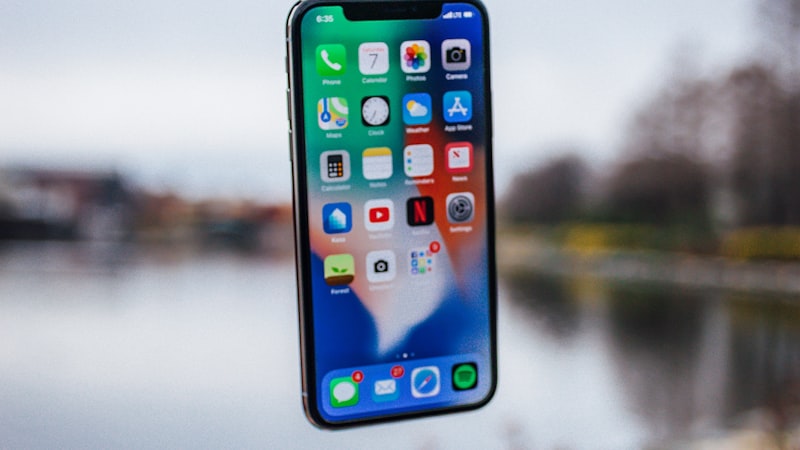
The Dual-Screen Dilemma
Unlike a traditional smartphone with a single display, the foldable iPhone demands a more nuanced approach to notification management. Consider these scenarios:
- Cover Display Glancing: The smaller cover display is ideal for quickly checking essential information. However, being bombarded with every notification on this screen can be disruptive.
- Expanded View Immersion: While working or consuming content on the larger, unfolded display, constant interruptions from non-critical notifications can break concentration.
- Contextual Awareness: The ideal notification behavior should adapt to the current usage. For example, while watching a video on the unfolded screen, less urgent notifications might be suppressed entirely.
Strategies for Effective Notification Management
Fortunately, iOS offers a robust set of tools to customize notification behavior. Here are several strategies to consider when adapting to the foldable iPhone's dual-screen reality:
1. Prioritize with Focus Modes
Focus Modes, introduced in iOS 15, are crucial for managing distractions. Customize different Focus Modes for various activities, such as "Work," "Personal," or "Reading." Within each mode, specify which apps and contacts are allowed to send notifications. This ensures that only the most relevant alerts break through, regardless of which screen is active.
2. Scheduled Summary for Non-Urgent Notifications
The Scheduled Summary feature allows you to bundle less critical notifications and deliver them at specific times throughout the day. This prevents a constant stream of interruptions while still keeping you informed. Configure separate summaries for different categories of notifications to maintain organization.
3. App-Specific Customization
Dive into the notification settings for individual apps. Determine which apps truly require immediate attention and which can be silenced or relegated to the Scheduled Summary. For instance, social media notifications might be less critical than those from your calendar or messaging app.
4. Cover Display Notification Filtering
Leverage iOS settings to control which notifications appear on the cover display. Limit these to essential alerts only, such as phone calls, text messages from important contacts, or time-sensitive reminders. This ensures that the cover display remains a valuable tool for quick glances without becoming overwhelming. Consider turning off notification previews entirely for sensitive apps on the cover display to enhance privacy.
5. Using Haptic Feedback Differentiators
Customize the haptic feedback patterns for different notification types. This allows you to distinguish between urgent and non-urgent alerts without even looking at the screen. The subtle difference in vibration can provide valuable context, enabling you to prioritize your attention effectively. As we explored in our analysis of display technology at iPhone View (https://iphoneview.com), even subtle visual cues combined with haptics can significantly improve user experience and reduce cognitive load.
The Future of Notification Management
As foldable devices become more prevalent, expect further advancements in notification management. Apple may introduce context-aware features that automatically adjust notification behavior based on the device's orientation, usage patterns, and ambient environment. Machine learning could play a role in predicting which notifications are most relevant to the user at any given moment, further streamlining the experience and minimizing distractions.
Ultimately, mastering notification management on the foldable iPhone requires a proactive and personalized approach. By leveraging the available tools and adopting mindful habits, users can harness the power of this innovative form factor without succumbing to the chaos of constant interruptions.
Questions readers ask
Does iOS need rearchitecting to make foldable managing notification overload work properly?
Apple would need a window manager or surface-handling layer in iOS to do this well. The plumbing already exists on iPadOS in a limited form, so the engineering question is less invention and more refinement.
Where is Apple's supply chain on foldable managing notification overload right now?
Reports out of Asia consistently cite a handful of suppliers competing on the relevant component, with Apple splitting orders rather than single-sourcing. That hedging pattern tends to mean a real product is being prepared, not just an R&D exploration.
Is foldable managing notification overload realistic for the next iPhone, or further out?
Most signals point to a later cycle rather than imminent release. Component lead times for foldable managing notification overload suggest Apple is still validating the supply side, and the company tends to wait until yields hit production targets before committing on stage.
What's the biggest tradeoff Apple has to swallow for foldable managing notification overload?
Every Apple decision is a tradeoff, and the obvious one here is internal volume. Adding foldable managing notification overload costs millimetres somewhere — usually battery capacity or camera module depth — and Apple has to decide which line item to trim.
In short — what's the takeaway on the future of notification management?
It comes back to whether Apple can ship foldable managing notification overload without compromising the parts of the iPhone people already pay for. The detail in this section is where that case is made or broken.